
Download Sophos Home – Free, Secure Antivirus for Windows & macOS
Overview
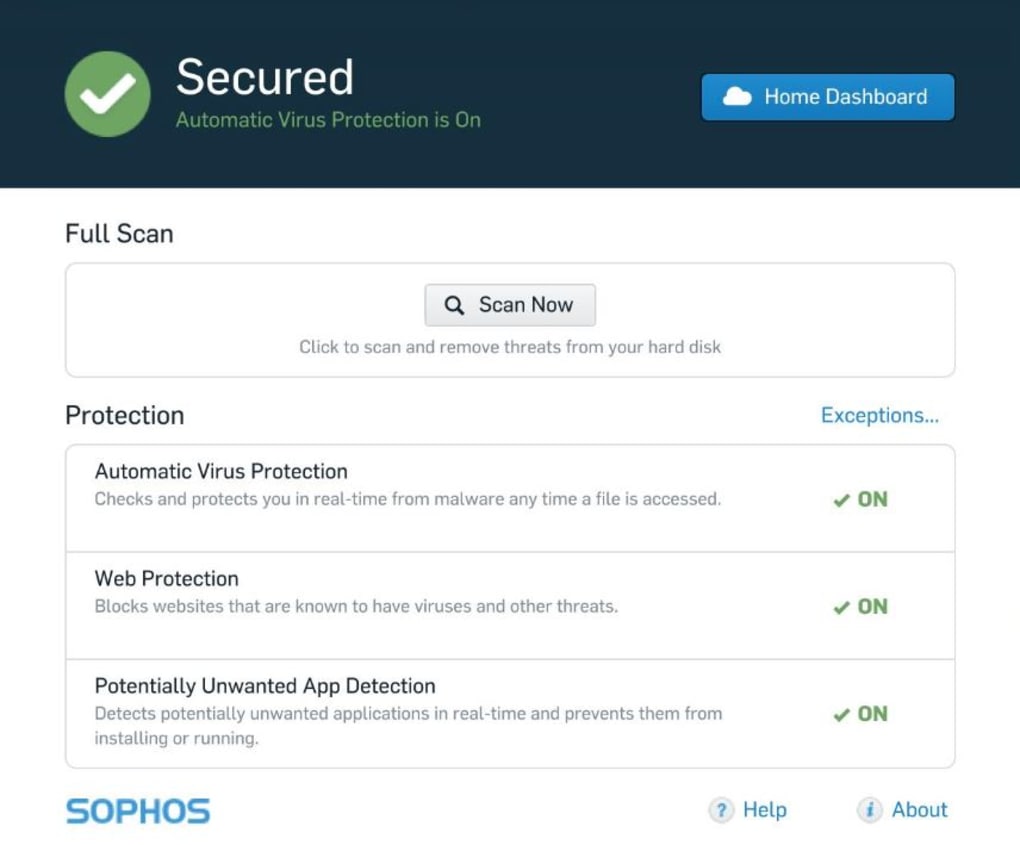
Sophos Home brings enterprise‑grade cybersecurity to the consumer market, delivering a robust shield against the most common and sophisticated online threats. Designed for home computers running Windows or macOS, the software uses next‑generation artificial intelligence powered by deep learning to anticipate, detect, and block viruses, ransomware, phishing scams, malware, exploits, and unwanted applications before they can cause damage. Sophos Home continuously monitors file activity, network traffic, and web behavior 24/7, with real‑time intelligence fed by the global SophosLabs threat‑analysis network.
This means that even zero‑day attacks—those that appear without prior notice—are identified and neutralized in real time. In addition to core antivirus protection, Sophos Home offers a suite of privacy tools such as banking protection, identity theft prevention, and parental web filtering, all manageable from a single cloud‑based dashboard. Users can add multiple devices to one Sophos account, view security status remotely, and trigger on‑demand scans from any web browser.
By combining AI‑driven detection with a user‑friendly interface, Sophos Home provides a hassle‑free, high‑performance security solution that rivals many paid business products, yet remains free for home users.
Core Features that Set Sophos Home Apart
- Deep Learning AI Engine: Continuously learns from billions of data points to pre‑emptively block emerging threats.
- Ransomware Rollback: Detects encryption attempts and automatically restores affected files to their pre‑attack state.
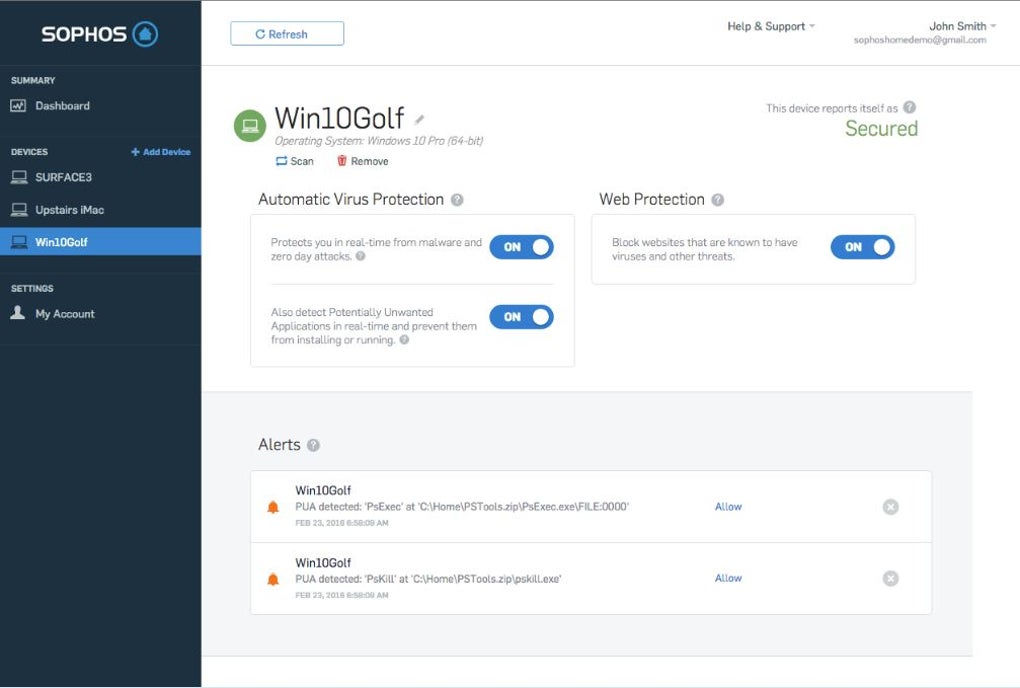
- Cloud Management Dashboard: Centralized web portal for monitoring, scanning, and configuring security settings across all devices.
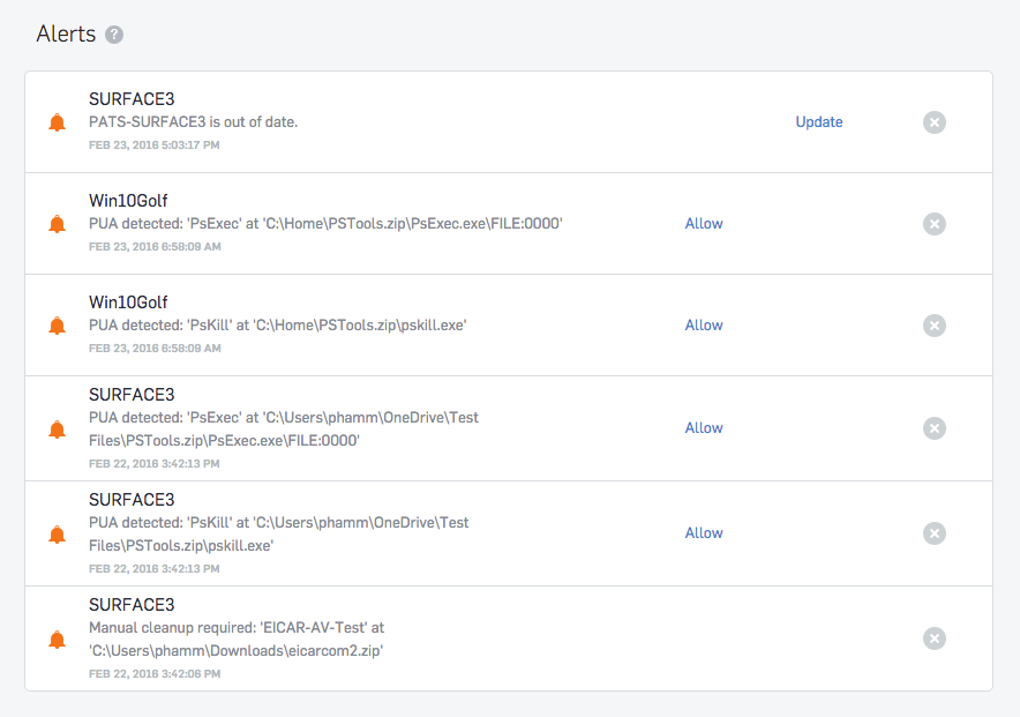
- Remote Security Management: Allows users to respond to alerts, initiate scans, or adjust protection levels from any internet‑connected device.
- Parental Web Filtering: Blocks inappropriate content and limits access to risky sites for children.
- Banking & Identity Protection: Secures online transactions and warns users of phishing attempts targeting personal data.
- Privacy Shield: Prevents spyware, trackers, and unwanted apps from harvesting personal information.
- Multi‑Device Support: Protect up to three devices per free account; premium plans expand this limit.
- Automatic Updates: Seamless signature and engine updates keep protection current without user intervention.
- Low System Impact: Optimized scanning engine ensures minimal performance slowdown, even during full system scans.
These features combine to create a layered defense strategy that covers the full threat landscape. The AI engine’s ability to analyze file behavior in real time means that even newly crafted malware—often referred to as “fileless” threats—are caught before they execute. Meanwhile, the cloud dashboard provides a bird’s‑eye view of all protected machines, allowing users to quickly identify vulnerable endpoints and remediate issues with a single click. Sophos Home’s parental controls are customizable, enabling parents to set time limits, block specific categories, or whitelist trusted sites, thereby fostering a safer browsing environment for younger users. Finally, the built‑in privacy tools give peace of mind when shopping online, banking, or sharing sensitive documents, as the software actively monitors for credential‑theft tactics and suspicious redirects.
Installation, Usage & Compatibility
Getting Sophos Home up and running is straightforward, even for users with limited technical expertise. Follow these steps to download, install, and configure the software on your Windows or macOS computer:
- Visit the official Sophos Home website: Locate the “Download for Windows” or “Download for macOS” button, depending on your operating system.
- Create a free Sophos account: Provide a valid email address, set a strong password, and verify your account via the confirmation email.
- Run the installer: On Windows, double‑click the .exe file; on macOS, open the .dmg and drag the Sophos Home icon to the Applications folder.
- Log in to the application: Use the credentials you created in step 2. The client will automatically register the device with your cloud dashboard.
- Configure initial settings: Choose between “Standard Protection” (recommended for most users) or “Advanced Protection” for granular control over scans, exclusions, and firewall rules.
- Start the first full system scan: This ensures any existing malware is detected and removed before the real‑time engine takes over.
- Optional – Add more devices: Log into the web dashboard, click “Add Device,” and repeat the download process on each additional computer.
The installation process typically takes less than five minutes, and the software begins protecting your system immediately after the initial scan. Sophos Home supports the following operating systems, as indicated by the Windows 10, Windows 11, macOS 10.15 (Catalina) and later. Both 64‑bit and 32‑bit Windows versions are compatible, though the 64‑bit version is recommended for optimal performance.
The macOS client runs on Intel‑based Macs and Apple Silicon (M1/M2) devices, taking advantage of native Rosetta 2 translation when needed. Once installed, the application runs silently in the background, automatically updating its threat database and AI models via the internet. Users can schedule regular scans, enable “Game Mode” to temporarily reduce notifications during gameplay, and customize notifications to suit personal preferences.
The remote management console is accessible from any modern browser, allowing you to check the health of all protected devices, trigger scans, or quarantine suspicious files from anywhere in the world.
Pros & Cons
Pros
- Enterprise‑grade AI detection available for free.
- Comprehensive ransomware rollback feature restores encrypted files.
- Centralized cloud dashboard simplifies multi‑device management.
- Low system impact ensures smooth performance during gaming or work.
- Robust privacy tools protect banking transactions and personal data.
- Parental web filtering provides a safe browsing environment for children.
- Automatic updates keep protection current without manual intervention.
Cons
- Free tier limits protection to three devices; additional devices require a paid plan.
- No built‑in VPN; users must rely on third‑party solutions for encrypted browsing.
- Advanced configuration options are hidden behind the premium version.
- Mac support, while solid, lags slightly behind Windows in feature parity.
- Customer support for free users is limited to community forums.
Frequently Asked Questions
Is Sophos Home completely free?
Sophos Home offers a free tier that protects up to three devices with core antivirus, ransomware protection, and basic privacy tools. A premium subscription unlocks unlimited devices, advanced ransomware rollback, a VPN, and priority support.
Can Sophos Home protect against zero‑day attacks?
Yes. The AI engine uses deep learning to analyze file behavior in real time, allowing it to detect and block zero‑day malware before signatures are available.
How does the ransomware rollback work?
When Sophos Home identifies ransomware activity, it isolates the infected file, restores affected files from a protected snapshot, and prevents further encryption. The rollback feature can revert the system to its last known safe state.
Does Sophos Home run on Apple Silicon Macs?
Yes, Sophos Home is compatible with Apple Silicon (M1/M2) Macs. The installer runs natively or via Rosetta 2 on Intel‑based Macs, ensuring full protection across Apple hardware.
Can I manage multiple devices from a single account?
Absolutely. The cloud dashboard lets you add, monitor, and configure up to three devices on the free plan. Premium plans expand this limit, allowing you to manage dozens of computers and laptops from one account.
Conclusion – Secure Your Home Network Today
In an era where cyber threats evolve daily, Sophos Home stands out as a powerful, AI‑driven solution that brings enterprise‑level protection to the average household. Its deep learning engine, ransomware rollback, and comprehensive privacy suite provide a layered defense that can thwart even the most sophisticated attacks. While the free version limits the number of devices and omits premium features like a built‑in VPN, the core protection is more than sufficient for most families and small home offices. Installation is quick, the interface is intuitive, and the cloud dashboard offers unparalleled visibility across all protected machines.
If you’re looking for a reliable, continuously updated antivirus that doesn’t tax system resources, Sophos Home is a top contender. Download it now, secure up to three devices for free, and experience the peace of mind that comes with business‑grade security at home. For broader coverage, consider upgrading to the premium plan for unlimited devices, advanced ransomware recovery, and priority support.
Ready to protect your home? Download Sophos Home today and enjoy a safer, more private online experience.







